Free Windows app · Claude + Canvas

Canvas in Claude,
no terminal needed.

The Canvas MCP Installer Assistant connects Claude to your Canvas account with pictures and a check after every step. Then just ask Claude what's due this week, what you need on the final, or which missing assignment hurts your grade most.

Windows 10 and 11. Free guides, with an optional $5 one-click setup. It isn't code-signed yet, so if Windows says "Windows protected your PC", click More info, then Run anyway.

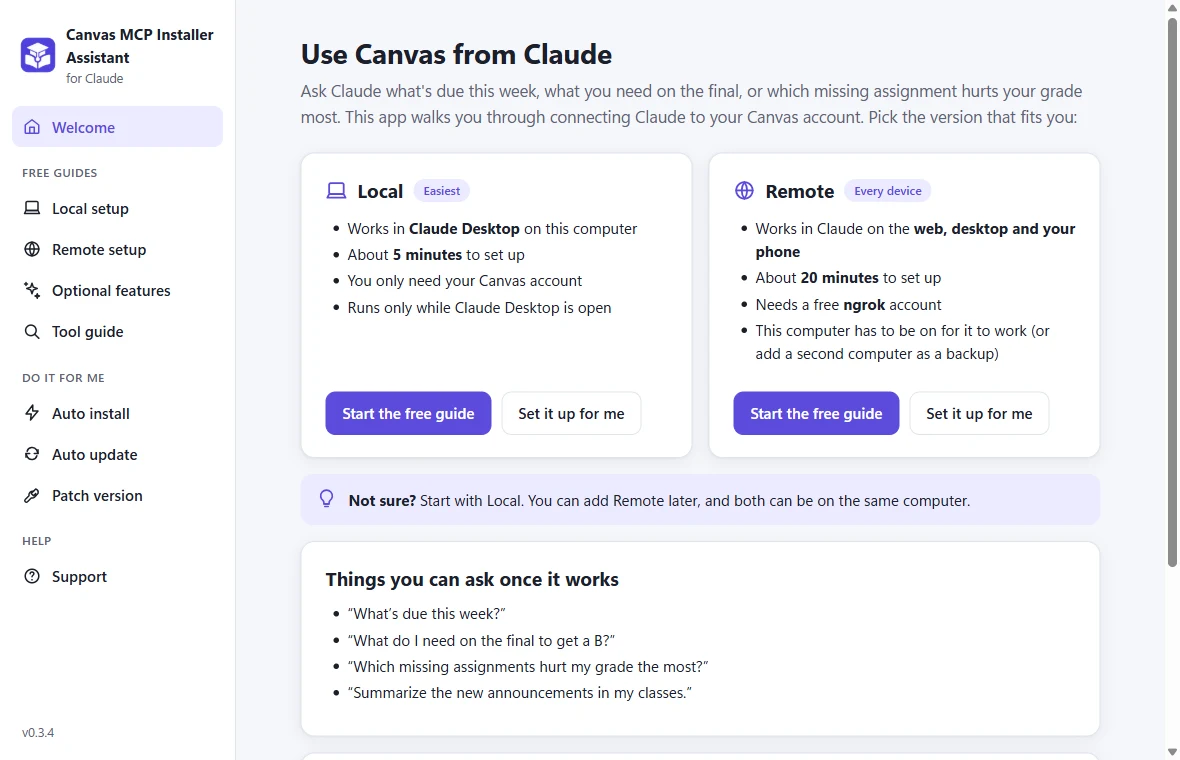
The app's Welcome page: choose Local or Remote, with things you can ask Claude once it works
How it works

Everything you need to get Claude talking to Canvas

Pick Local (Claude Desktop on this computer, about 5 minutes) or Remote (Claude on the web, desktop and your phone, about 20 minutes).

A picture and a Check button for every step

The free guides walk you through it one step at a time, with real screenshots and commands to copy. Press Check and the app tells you whether that step worked before you move on.

  • Creating your Canvas access token
  • Adding Canvas to Claude Desktop
  • Remote: ngrok, start at logon and connecting your phone
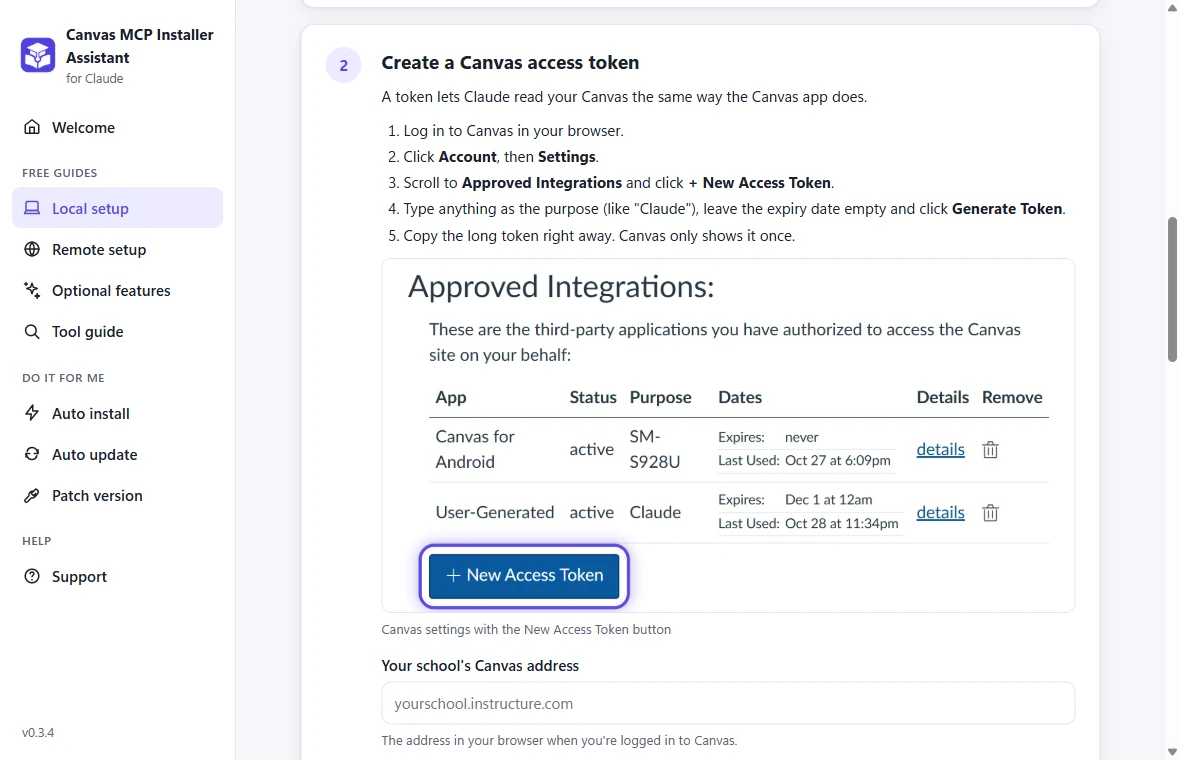
A guide step showing where to create a Canvas access token

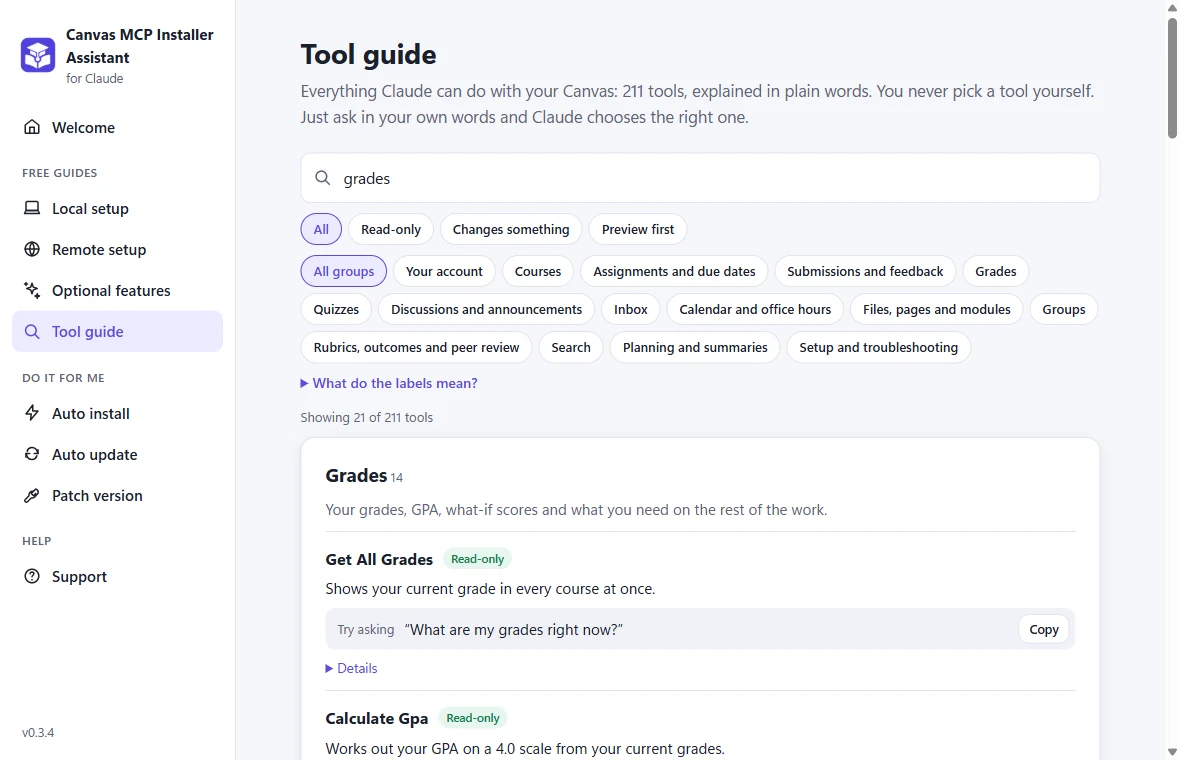
Every tool, explained in plain English

The Tool guide lists all 211 things Claude can do with your Canvas, with an example of what to ask for each. Search for grades, due dates, your inbox or quizzes, and copy a question straight into Claude.

  • Labels show what only reads and what changes something
  • Anything other people would see shows a preview first
The Tool guide searching for grades

Or let it do every step for you

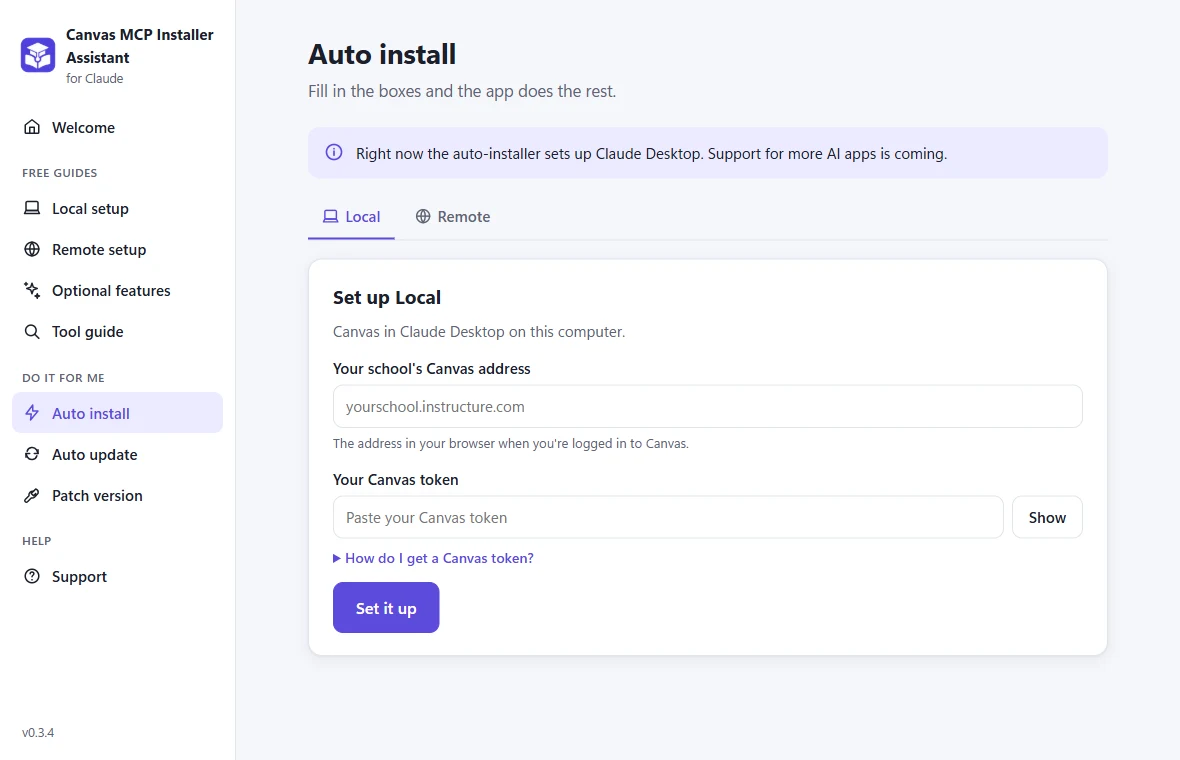
For a one-time $5, Auto install does the whole setup: paste your school's Canvas address and token, and the app installs what's missing, checks your token and adds Canvas to Claude Desktop.

  • Auto update keeps your setup current in one click
  • Patch version fixes older hand-made setups
  • One key works on up to 5 of your computers
Auto install: fill in your Canvas address and token, then Set it up

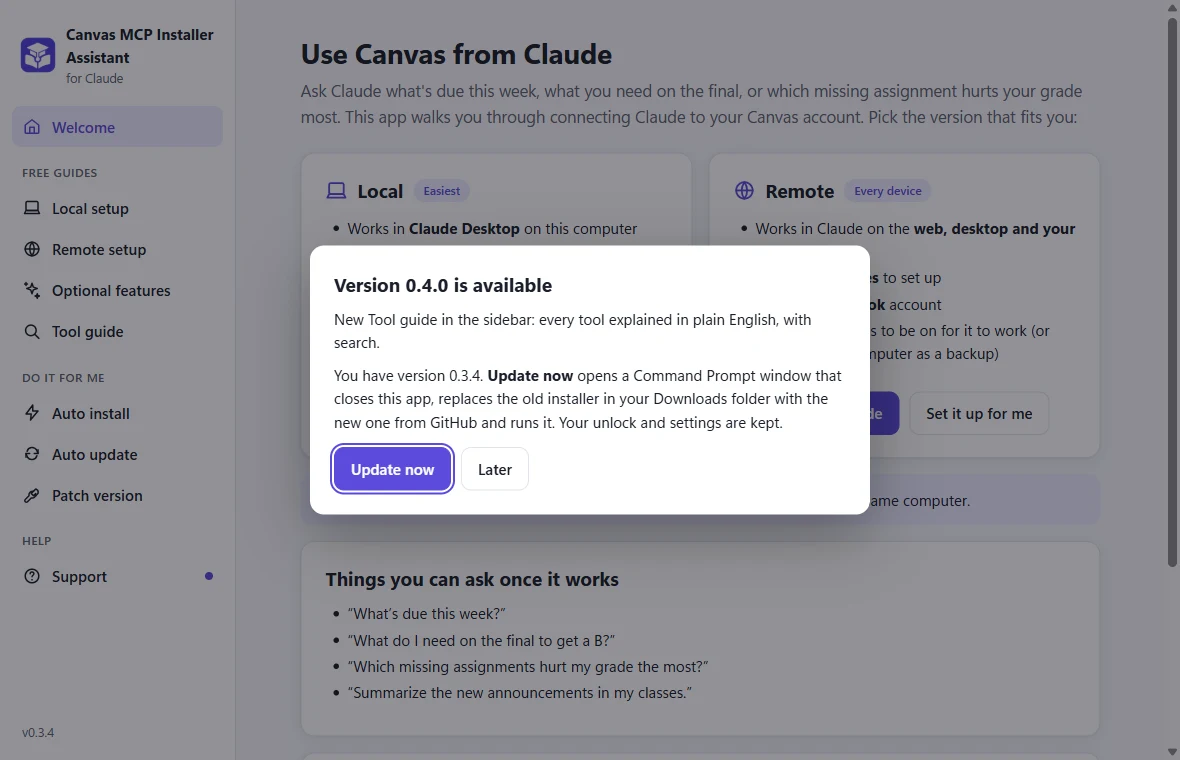
Keeps itself up to date

When a new version is out, the app tells you when you open it. Click Update now and it downloads and installs the new version for you. Your unlock and settings are kept.

The update popup with an Update now button
Free vs $5

The guides are free. The one-click setup is $5.

The $5 supports the project. Everything Claude can do with Canvas is the same either way.

Free

Step-by-step guides

Do it yourself, with help at every step.

  • Guides for the Local and Remote editions
  • Screenshots and commands to copy
  • A Check button that tests each step
  • The Tool guide and fixes for common problems
Download for Windows
$5 one-time

Auto install

Let the app do every step for you.

  • Installs Node.js (and ngrok for Remote) if needed
  • Checks your Canvas token
  • Adds Canvas to Claude Desktop, with a backup
  • Remote: settings, test run and start at logon
  • Auto update and Patch version
  • One license key works on up to 5 of your computers

Buy inside the app. If Auto install doesn't work for you and I can't fix it, you get a full refund within 7 days.

Open source

The servers are free and open source

The app sets up one of two MIT-licensed servers. Prefer the terminal, or on a Mac? Follow their READMEs instead.

Local Edition

Runs on your computer for Claude Desktop and other desktop AI apps. Nothing is exposed to the internet.

Remote Edition

Your own Canvas server for Claude on the web, desktop and phone, behind a password, with backup computers.

FAQ

Questions

Is my Canvas token safe?

The app only sends your token to your own school's Canvas, to check that it works, and saves it on your computer in the settings the server uses. There's no tracking or analytics. The servers it installs are open source on GitHub.

Windows says "Windows protected your PC". Is that normal?

Yes. The app isn't code-signed yet, so Windows doesn't recognize it. Click More info, then Run anyway.

Does it work on a Mac?

Not yet. On a Mac, follow the README for the Local or Remote edition.

Which AI apps does it set up?

Claude Desktop for the Local Edition, and Claude on the web, desktop and phone for the Remote Edition. Support for more AI apps is coming.

Is this made by Instructure or Anthropic?

No. It's an independent project that works with Canvas and Claude.

I'm stuck. Where do I get help?

The app's Support tab has fixes for common problems and a button that copies your setup info with secrets hidden. You can also email fireiscoolsolo@gmail.com or open an issue on GitHub.